Overtime Requests
Submit and track your overtime hours.
Requesting Overtime
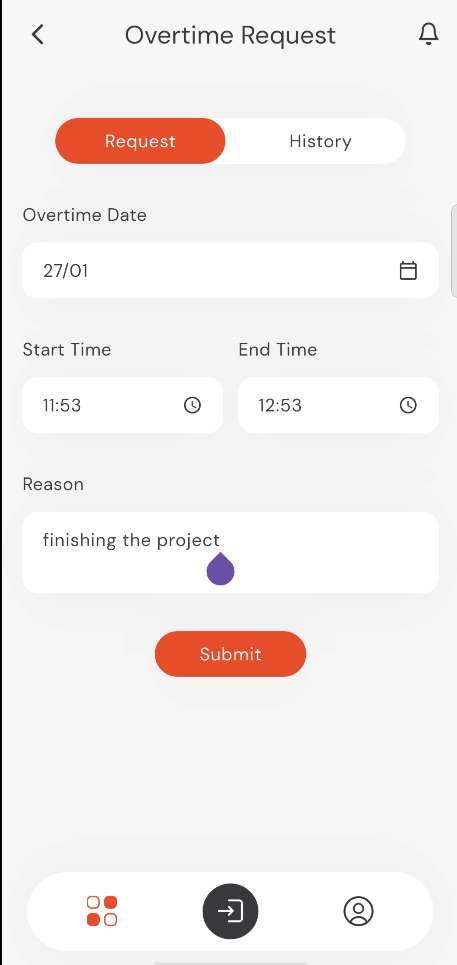
- Tap on Overtime Requests from the home screen.
- Select the Overtime Date.
- Specify your Start Time and End Time.
- Provide a Reason for the overtime work.
- Tap Submit.
info
Note: All fields are mandatory, including the Reason field.
caution
Important: Overtime requests must be submitted within the monthly period before the payroll day to be processed for the current month.
9:41
●●●●○WiFi100% 🔋
Overtime History
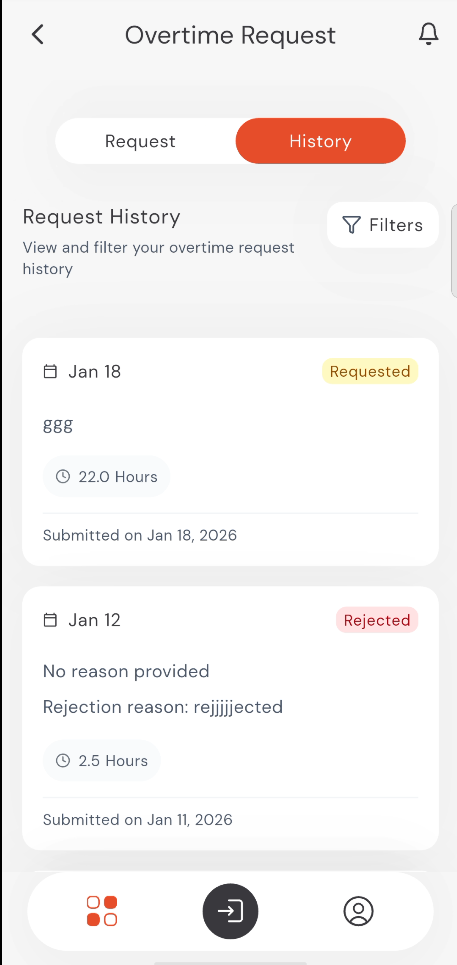
Check the History tab to see your previous overtime requests and their statuses. You can also view manager feedback if a request is rejected.
9:41
●●●●○WiFi100% 🔋